Release of Midas 0.4.0
Midas
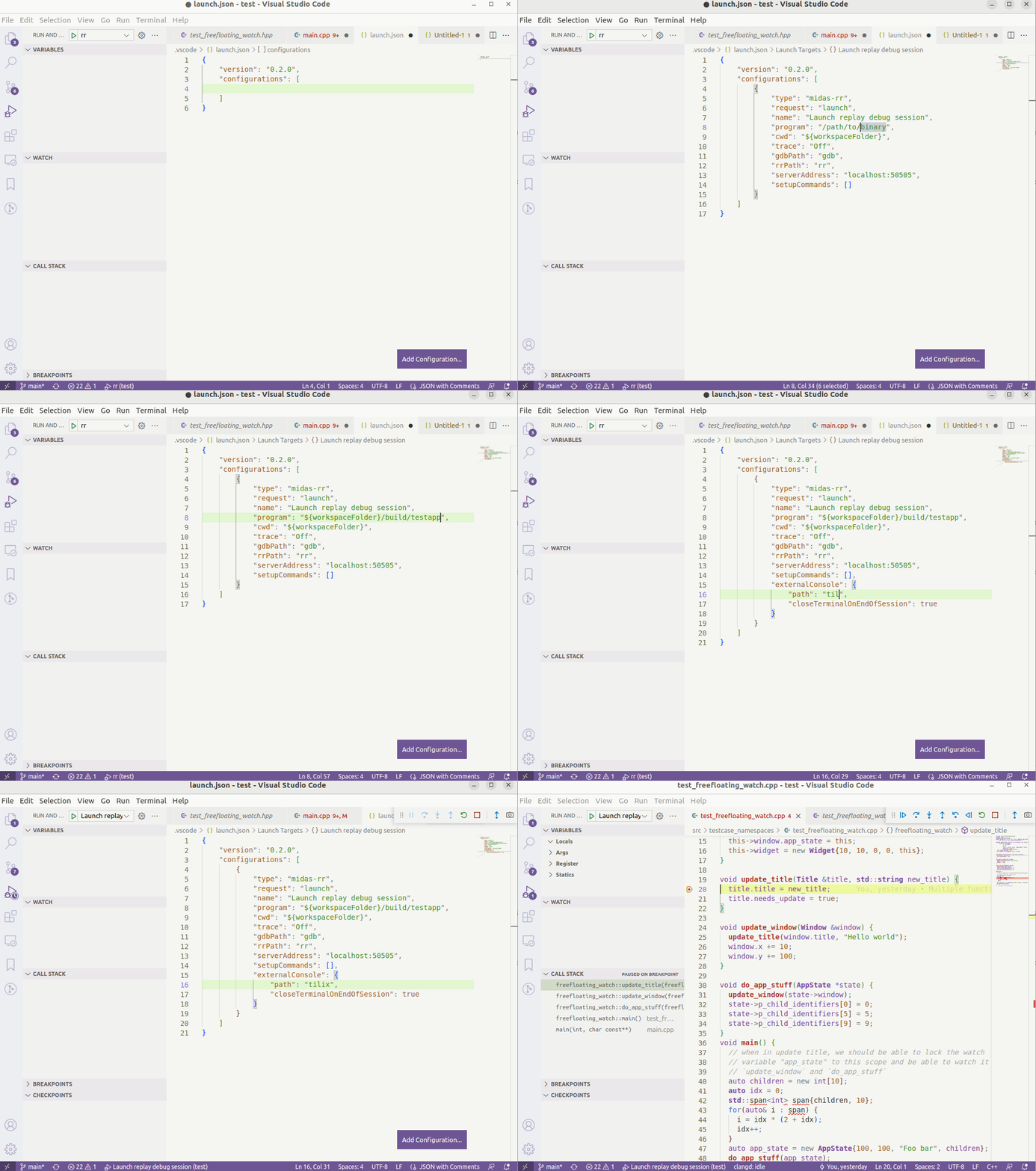
Debugging using RR and GDB is easy with Midas. It unifies the start up process of rr and gdb, so all you have to do is provide one launch configuration
and pick the desired trace when starting the session. The process is displayed below, running RR in an external terminal. We made rrcfg-tools for this purpose
and just migrated the idea to this debug adapter extension for VSCode. It makes starting an RR debug session in VSCode a breeze. Below is an example
New features in Midas 0.4.0
With the latest version of Midas, you can now view assembly in VSCode’s Disassembly viewer. Simply step into some code, open up the context menu (right click) and select “Open Disassembly View”.
Another feature that was added is the checkpoints UI. It will show checkpoints you have created in your RR debug session.
Watch variables has also gotten new features. Due to VSCode’s watch variables pane not being extendable (yet), we’ve decided to use the less than user-friendly
approach of a custom “syntax”. In the future, we expect VSCode to add functionality in that regard and Midas will take advantage of that as soon as that’s possible, but until then,
here’s how you format numbers to be displayed in hex, watching a range of Ts’, or adding a “frame specifier” for the watch variable:
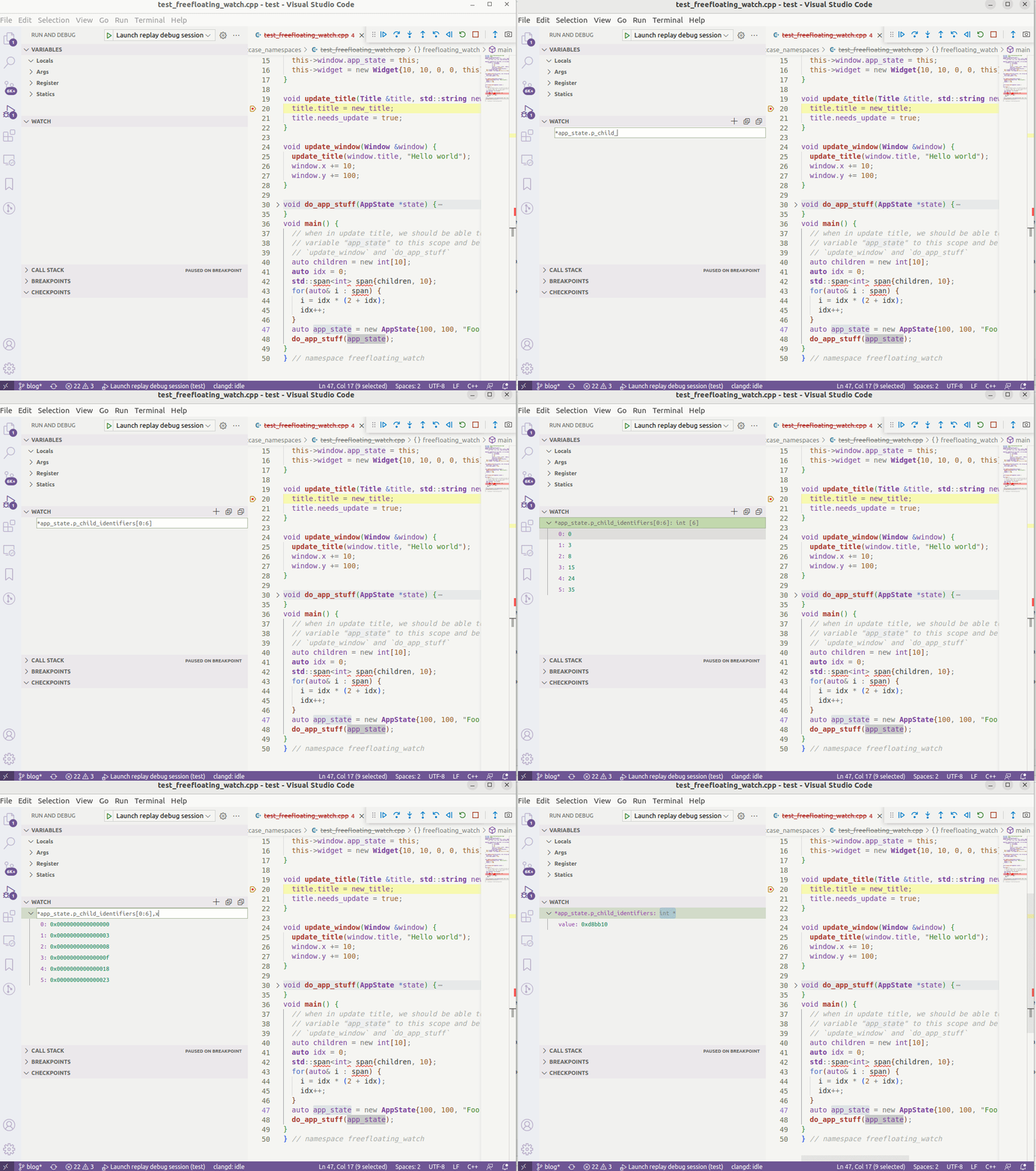
<variable>,xdisplays the watched variable in hexadecimal format (and all of it’s children)<variable>[n:m]- view a range ofT(type of<variable>) starting from the address of<variable>. Currently, this does not work for pretty printed variables, but will be added. So right now, it just works for pointers and arrays.*<variable>- Frame specifier. The*in front tells Midas to search for a variable in all frames above the current one.
Below shows an example of finding the variable app_state.p_child_identifiers and displaying 5 of the elements pointed to by that pointer, in a frame somewhere above the current.
Midas makes use of pretty printers when GDB has recognized any for a particular type. This means that your pretty printers should have the .children()
method implemented. If your pretty printer only has to_string only one thing will be displayed and you won’t be able to navigate it’s members as one would want to.
Try Midas now and let us know what you think or any features you’d like to see in this debug adapter.